
Sana özel 28 günlük plan
- Yaş, boy, kilo, hedef ve hareket düzeyine göre kurulur
- Günde 10, 15, 20 ya da 30 dakika
- Her hafta süreler biraz uzar; 4 günde bir aktif dinlenme
- “Nasıldı?” cevabınla kendini ayarlar
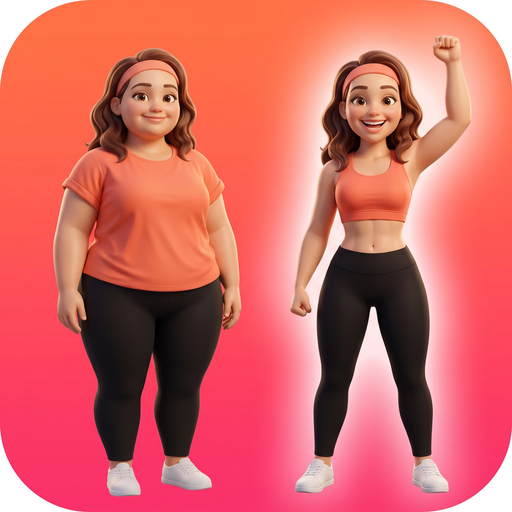 KiloDown
Evde kilo ver: zıplamak yok, spor salonu yok
Koçun Mia her hareketi sana kendisi gösterir, seninle sayar ve seni yüreklendirir. Cevaplarına göre kurulan 28 günlük plan, alet yerine evdeki eşyalar ve günde yalnızca 10–30 dakika.

Merhaba, ben Mia! Bugün 15 dakika birlikte hareket edelim mi?

40 hareketin hepsini Mia kendisi yapar: başlangıç ve bitiş pozu arasında canlanır, sen de onunla birlikte yaparsın.


Yeni başlayanlar için tasarlandı: sana göre ayarlanır, hiçbir zaman acele ettirmez.


Hesap yok, takip yok, analiz yok, reklam yok. Uygulama hiçbir veriyi internete göndermez.
Bugün ekranının üstündeki dişli simgesine ya da Plan ekranındaki ayar simgesine dokunarak Ayarlar'ı aç. Günlük süreyi (10, 15, 20 ya da 30 dk), diz dostu ve yere inmeden modlarını, sesli koçu ve evdeki eşyaları buradan değiştirebilirsin; sonraki antrenmanlar hemen bu ayarlara göre kurulur. Profil bölümünde yaşını, boyunu, başlangıç ve hedef kilonu, kg ya da lb birimini güncelleyebilirsin.
Bir antrenmanın sonunda “Nasıldı?” sorusuna verdiğin cevap da süreleri ayarlar: Kolay dersen biraz uzar, Zor dersen biraz kısalır. 28 günü en baştan yapmak istersen 28 günü baştan başlat'a dokun; geçmiş antrenmanların ve kilo kayıtların silinmez.
Diz dostu mod açıkken zıplamak yoktur ve dizi zorlayan hareketlerin yerine daha hafif karşılıkları gelir. Başlangıçtaki sorularda dizlerinin ağrıdığını ya da belinin hassas olduğunu seçtiysen bu mod zaten açıktır. Yere inip kalkmak zorsa Yere inmeden modunu aç: her şey ayakta ya da sandalyede yapılır.
Hareketler ekranında her hareketin etiketlerini görebilir, zor gelenlerin daha hafif seçeneğine geçebilirsin. Hareket sırasında ağrı, baş dönmesi ya da nefes darlığı olursa hemen dur ve doktoruna danış.
Sorun değil. Ayarlar'daki Evdeki eşyalar listesinden olmayan eşyanın işaretini kaldır; o eşyayla yapılan hareketlerin yerine başka hareketler gelir. Hiç eşya seçmesen de plan yalnızca vücut ağırlığıyla yapılan hareketlerle kurulur.
İpucu: dolu 1,5 litrelik su şişesi yaklaşık 1,5 kg, 5 litrelik bidon yaklaşık 5 kg gelir. Sırt çantasına kitap koyarak ağırlığı ayarlayabilirsin.
Profilin, kilo kayıtların, antrenmanların ve fotoğrafların yalnızca telefonunda, uygulamanın kendi deposunda saklanır. Hesap yok; hiçbir veri bize ya da başka birine gönderilmez. Diğer uygulama verileri gibi, iOS ayarlarına bağlı olarak kendi iPhone yedeklerine (iCloud ya da bilgisayar) dahil olabilir. Ayrıntılar gizlilik politikasında.
İstersen Ayarlar'dan Apple Sağlık'a kaydet'i aç. KiloDown tamamladığın her antrenmanı (süresi ve tahmini yakılan enerjiyle) ve girdiğin kiloyu Sağlık'a yazar. Yalnızca yazar; Sağlık'tan hiçbir veri okumaz. İzni istediğin zaman iPhone'da Ayarlar › Gizlilik ve Güvenlik › Sağlık › KiloDown yolundan kapatabilirsin.
Ayarlar'ın en altındaki Tüm verileri sil'e dokun: antrenmanların, kilo kayıtların ve fotoğrafların telefonundan kalıcı olarak silinir ve başlangıç soruları yeniden açılır. Uygulamayı silmek de tüm verilerini kaldırır. Apple Sağlık'a daha önce yazılmış kayıtlar Sağlık uygulamasında kalır; onları oradan silebilirsin.
Antrenman ekranındaki hoparlör simgesinin ve Ayarlar'daki Sesli koç'un açık olduğunu, telefonunun ses düzeyinin de yeterli olduğunu kontrol et.
Hatırlatma gelmiyorsa iPhone'da Ayarlar › Bildirimler › KiloDown yolundan bildirimlere izin verildiğini ve bir odak modunun onları susturmadığını kontrol et. Hatırlatma saatini KiloDown Ayarlar'ından değiştirebilirsin; o günün antrenmanını bitirdiysen o günkü hatırlatma gelmez.
Soru, öneri ya da bir sorun mu var? Bir e-posta göndermen yeterli.
KiloDown tıbbi bir uygulama değildir; sonuçlar kişiden kişiye değişir. Kalp, tansiyon, eklem ya da başka bir sağlık sorunun varsa egzersize başlamadan önce doktoruna danış.
Lose weight at home: no jumping, no gym
Your coach Mia shows you every move, counts with you and cheers you on. A 28-day plan built from your answers, everyday things from your home instead of equipment, and just 10 to 30 minutes a day.
Hi, I'm Mia! Shall we move together for 15 minutes today?
Mia performs all 40 moves herself, animated from start to end position, so you can simply follow along.
Made for beginners: it adapts to you and never rushes you.
No account, no tracking, no analytics, no ads. The app never sends any data over the internet.
Tap the gear icon at the top of the Today screen, or the settings icon on the Plan screen, to open Settings. There you can change your daily time (10, 15, 20 or 30 min), knee-friendly and no-floor modes, the voice coach and the items you have at home; your next workouts are built from these settings right away. In the profile section you can update your age, height, starting and goal weight, and kg or lb.
Your answer to “How was it?” at the end of a workout also tunes the timing: Easy makes work times a little longer, Hard a little shorter. To do the 28 days again from the start, tap Restart the 28 days; your past workouts and weigh-ins are kept.
With knee-friendly mode on, there is no jumping and moves that strain the knees are swapped for lighter alternatives. If you said your knees hurt or your lower back is sensitive during setup, this mode is already on. If getting down to the floor is hard, turn on no-floor mode: everything is done standing or on a chair.
In the Moves screen you can see each move's labels and switch to the easier option for harder moves. Stop right away and talk to your doctor if you feel pain, dizziness or shortness of breath.
No problem. In Settings, open Household items and untick what you don't have; moves that need it are replaced with other moves. Even with no items selected, your plan is built from bodyweight moves.
Tip: a full 1.5-liter water bottle weighs about 1.5 kg and a 5-liter jug about 5 kg. Put books in a backpack to set the weight you want.
Your profile, weigh-ins, workouts and photos are stored only on your phone, in the app's own storage. There is no account, and nothing is sent to us or anyone else. Like other app data, it may be included in your own iPhone backups (iCloud or computer), depending on your iOS settings. Details are in the privacy policy.
If you want, turn on Save to Apple Health in Settings. KiloDown then writes each workout you finish (with its duration and estimated active energy) and the weight you log to Health. It only writes and never reads any Health data. You can turn access off anytime on your iPhone in Settings › Privacy & Security › Health › KiloDown.
Tap Delete all data at the bottom of Settings: your workouts, weigh-ins and photos are permanently removed from your phone and the setup questions start again. Deleting the app also removes all of its data. Records already written to Apple Health stay in the Health app, where you can delete them.
Check that the speaker icon on the workout screen and Voice coach in Settings are on, and that your phone's volume is up.
If reminders don't arrive, make sure notifications are allowed in Settings › Notifications › KiloDown on your iPhone and that a Focus mode isn't silencing them. You can change the reminder time in KiloDown's Settings; once you've finished the day's workout, that day's reminder is skipped.
KiloDown is not a medical app, and results vary from person to person. If you have a heart, blood pressure, joint or any other health condition, talk to your doctor before you start exercising.
Pierde peso en casa: sin saltos, sin gimnasio
Tu entrenadora Mia te muestra cada ejercicio, cuenta contigo y te anima. Un plan de 28 días creado a partir de tus respuestas, cosas de casa en lugar de aparatos y solo de 10 a 30 minutos al día.
¡Hola, soy Mia! ¿Nos movemos 15 minutos hoy?
Mia hace ella misma los 40 ejercicios, animados de la posición inicial a la final, para que solo tengas que seguirla.
Pensada para principiantes: se adapta a ti y nunca te mete prisa.
Sin cuenta, sin rastreo, sin analíticas, sin anuncios. La app nunca envía datos por internet.
Toca el icono de engranaje arriba en la pantalla Hoy, o el icono de ajustes en la pantalla Plan, para abrir los Ajustes. Allí puedes cambiar el tiempo diario (10, 15, 20 o 30 min), los modos cuida-rodillas y sin suelo, la entrenadora por voz y las cosas que tienes en casa; tus próximos entrenamientos se crean con estos ajustes al momento. En la sección de perfil puedes actualizar tu edad, estatura, peso inicial y objetivo, y elegir kg o lb.
Tu respuesta a “¿Qué tal fue?” al final de cada entrenamiento también ajusta los tiempos: con Fácil se alargan un poco y con Difícil se acortan un poco. Para hacer los 28 días otra vez desde el principio, toca Reiniciar los 28 días; tus entrenamientos y registros de peso anteriores se conservan.
Con el modo cuida-rodillas activado no hay saltos y los ejercicios que cargan las rodillas se cambian por alternativas más suaves. Si al empezar indicaste que te duelen las rodillas o que tienes la zona lumbar sensible, este modo ya está activado. Si te cuesta bajar al suelo, activa el modo sin suelo: todo se hace de pie o en una silla.
En la pantalla de ejercicios ves las etiquetas de cada uno y puedes pasar a la opción más fácil de los más difíciles. Detente enseguida y consulta a tu médico si sientes dolor, mareo o falta de aire.
No pasa nada. En Ajustes, abre Objetos de casa y desmarca lo que no tengas; los ejercicios que lo necesitan se sustituyen por otros. Aunque no marques nada, tu plan se crea con ejercicios con tu propio peso corporal.
Consejo: una botella de agua llena de 1,5 litros pesa unos 1,5 kg y una garrafa de 5 litros, unos 5 kg. Mete libros en una mochila para ajustar el peso.
Tu perfil, tus registros de peso, tus entrenamientos y tus fotos se guardan solo en tu teléfono, en el almacenamiento propio de la app. No hay cuenta y no se nos envía nada ni a nosotros ni a nadie. Como los datos de otras apps, pueden incluirse en tus propias copias de seguridad del iPhone (iCloud u ordenador), según tus ajustes de iOS. Más detalles en la política de privacidad.
Si quieres, activa Guardar en la app Salud en Ajustes. KiloDown escribirá en Salud cada entrenamiento que termines (con su duración y la energía activa estimada) y el peso que registres. Solo escribe; nunca lee datos de Salud. Puedes retirar el acceso cuando quieras en tu iPhone, en Ajustes › Privacidad y seguridad › Salud › KiloDown.
Toca Borrar todos los datos al final de Ajustes: tus entrenamientos, registros de peso y fotos se eliminan para siempre de tu teléfono y las preguntas iniciales vuelven a empezar. Borrar la app también elimina todos sus datos. Los registros que ya se escribieron en Apple Salud se quedan en la app Salud, donde puedes borrarlos.
Comprueba que el icono del altavoz en la pantalla de entrenamiento y la entrenadora por voz en Ajustes están activados, y que el volumen del teléfono está alto.
Si no te llegan los recordatorios, revisa en tu iPhone, en Ajustes › Notificaciones › KiloDown, que las notificaciones están permitidas y que ningún modo de concentración las silencia. Puedes cambiar la hora del recordatorio en los Ajustes de KiloDown; si ya terminaste el entrenamiento del día, el recordatorio de ese día no llega.
¿Una pregunta, una idea o un problema? Solo tienes que escribirnos.
KiloDown no es una app médica y los resultados varían de una persona a otra. Si tienes problemas de corazón, tensión o articulaciones, o cualquier otra condición de salud, consulta a tu médico antes de empezar a hacer ejercicio.
Emagreça em casa: sem pulos, sem academia
Sua treinadora Mia mostra cada exercício, conta junto com você e te incentiva. Um plano de 28 dias criado a partir das suas respostas, coisas de casa no lugar de aparelhos e só de 10 a 30 minutos por dia.
Oi, eu sou a Mia! Vamos nos mexer 15 minutos hoje?
A própria Mia faz os 40 exercícios, animados da posição inicial à final, para você só acompanhar.
Feito para iniciantes: se adapta a você e nunca te apressa.
Sem conta, sem rastreamento, sem análises, sem anúncios. O app nunca envia dados pela internet.
Toque no ícone de engrenagem no alto da tela Hoje, ou no ícone de ajustes na tela Plano, para abrir os Ajustes. Ali você muda o tempo diário (10, 15, 20 ou 30 min), os modos amigo dos joelhos e sem chão, a treinadora por voz e as coisas que você tem em casa; os próximos treinos são montados com esses ajustes na hora. Na seção de perfil você atualiza idade, altura, peso inicial e meta, e escolhe kg ou lb.
Sua resposta a “Como foi?” no fim de cada treino também ajusta os tempos: Fácil deixa um pouco mais longo, Difícil um pouco mais curto. Para refazer os 28 dias desde o início, toque em Recomeçar os 28 dias; seus treinos e registros de peso anteriores são mantidos.
Com o modo amigo dos joelhos ligado não há pulos, e os exercícios que forçam os joelhos são trocados por alternativas mais leves. Se no começo você disse que seus joelhos doem ou que sua lombar é sensível, esse modo já está ligado. Se descer ao chão é difícil, ligue o modo sem chão: tudo é feito em pé ou na cadeira.
Na tela de exercícios você vê as etiquetas de cada um e pode passar para a opção mais fácil dos mais difíceis. Pare na hora e fale com seu médico se sentir dor, tontura ou falta de ar.
Sem problema. Em Ajustes, abra Objetos de casa e desmarque o que você não tem; os exercícios que precisam delas são trocados por outros. Mesmo sem marcar nada, seu plano é montado com exercícios com o peso do corpo.
Dica: uma garrafa de água cheia de 1,5 litro pesa cerca de 1,5 kg e um galão de 5 litros, cerca de 5 kg. Coloque livros numa mochila para ajustar o peso.
Seu perfil, registros de peso, treinos e fotos ficam guardados só no seu celular, no armazenamento do próprio app. Não há conta, e nada é enviado para nós nem para ninguém. Como os dados de outros apps, eles podem entrar nos seus próprios backups do iPhone (iCloud ou computador), conforme seus ajustes do iOS. Detalhes na política de privacidade.
Se quiser, ative Salvar no app Saúde em Ajustes. O KiloDown grava no Saúde cada treino que você concluir (com a duração e a energia ativa estimada) e o peso que você registrar. Ele só grava e nunca lê dados do Saúde. Você pode desligar o acesso quando quiser no iPhone, em Ajustes › Privacidade e Segurança › Saúde › KiloDown.
Toque em Apagar todos os dados no fim dos Ajustes: seus treinos, registros de peso e fotos são removidos para sempre do celular e as perguntas iniciais recomeçam. Apagar o app também remove todos os dados dele. Os registros já gravados no Apple Saúde continuam no app Saúde, onde você pode apagá-los.
Verifique se o ícone de alto-falante na tela de treino e a treinadora por voz em Ajustes estão ligados, e se o volume do celular está alto.
Se os lembretes não chegam, confira no iPhone, em Ajustes › Notificações › KiloDown, se as notificações estão permitidas e se nenhum modo de foco as silencia. Você pode mudar o horário do lembrete nos Ajustes do KiloDown; se já concluiu o treino do dia, o lembrete daquele dia não chega.
Uma pergunta, uma ideia ou um problema? É só mandar um e-mail.
O KiloDown não é um app médico, e os resultados variam de pessoa para pessoa. Se você tem algum problema de coração, pressão, articulações ou qualquer outra condição de saúde, converse com seu médico antes de começar a se exercitar.
Abnehmen zu Hause: ohne Springen, ohne Studio
Deine Trainerin Mia macht dir jede Übung vor, zählt mit dir und feuert dich an. Ein 28-Tage-Plan aus deinen Antworten, Dinge aus deinem Haushalt statt Geräten und nur 10 bis 30 Minuten am Tag.
Hallo, ich bin Mia! Wollen wir heute 15 Minuten zusammen trainieren?
Alle 40 Übungen macht Mia selbst vor, animiert von der Start- bis zur Endposition. Du machst einfach mit.
Für Anfänger gemacht: passt sich dir an und hetzt dich nie.
Kein Konto, kein Tracking, keine Analyse, keine Werbung. Die App sendet keinerlei Daten über das Internet.
Tippe oben auf dem Heute-Bildschirm auf das Zahnrad oder auf dem Plan-Bildschirm auf das Einstellungssymbol, um die Einstellungen zu öffnen. Dort änderst du die tägliche Zeit (10, 15, 20 oder 30 Min.), den knieschonenden und den Ohne-Boden-Modus, den Sprachcoach und die Dinge, die du zu Hause hast; deine nächsten Workouts werden sofort danach erstellt. Im Profil kannst du Alter, Größe, Start- und Zielgewicht sowie kg oder lb anpassen.
Auch deine Antwort auf „Wie war's?“ am Ende eines Workouts stimmt die Zeiten ab: Mit Leicht werden sie etwas länger, mit Schwer etwas kürzer. Um die 28 Tage noch einmal von vorn zu machen, tippe auf 28 Tage neu starten; deine bisherigen Workouts und Gewichtseinträge bleiben erhalten.
Im knieschonenden Modus gibt es kein Springen, und Übungen, die die Knie belasten, werden durch leichtere Alternativen ersetzt. Hast du beim Einrichten angegeben, dass deine Knie schmerzen oder dein unterer Rücken empfindlich ist, ist dieser Modus schon aktiv. Fällt es dir schwer, auf den Boden zu gehen, schalte den Ohne-Boden-Modus ein: Dann machst du alles im Stehen oder auf dem Stuhl.
In der Übungsübersicht siehst du die Merkmale jeder Übung und kannst bei schwereren Übungen zur leichteren Variante wechseln. Hör sofort auf und sprich mit deiner Ärztin oder deinem Arzt, wenn du Schmerzen, Schwindel oder Atemnot spürst.
Kein Problem. Öffne in den Einstellungen Haushaltsgegenstände und hak ab, was du nicht hast; Übungen, die es brauchen, werden durch andere ersetzt. Auch ganz ohne Gegenstände wird dein Plan aus Übungen mit dem eigenen Körpergewicht erstellt.
Tipp: Eine volle 1,5-Liter-Wasserflasche wiegt etwa 1,5 kg, ein 5-Liter-Kanister etwa 5 kg. Mit Büchern im Rucksack stellst du das Gewicht ein.
Dein Profil, deine Gewichtseinträge, Workouts und Fotos werden nur auf deinem Handy gespeichert, im eigenen Speicher der App. Es gibt kein Konto, und nichts wird an uns oder an andere gesendet. Wie andere App-Daten können sie je nach iOS-Einstellungen in deinen eigenen iPhone-Backups (iCloud oder Computer) enthalten sein. Details findest du in der Datenschutzerklärung.
Wenn du möchtest, schalte in den Einstellungen In Apple Health sichern ein. KiloDown schreibt dann jedes abgeschlossene Workout (mit Dauer und geschätzter aktiver Energie) und das Gewicht, das du einträgst, in Health. Die App schreibt nur und liest nie Daten aus Health. Den Zugriff kannst du jederzeit auf dem iPhone unter Einstellungen › Datenschutz & Sicherheit › Health › KiloDown abschalten.
Tippe ganz unten in den Einstellungen auf Alle Daten löschen: Deine Workouts, Gewichtseinträge und Fotos werden endgültig von deinem Handy entfernt, und die Einrichtungsfragen beginnen von vorn. Auch wenn du die App löschst, werden alle ihre Daten entfernt. Bereits in Apple Health geschriebene Einträge bleiben in der Health-App, wo du sie löschen kannst.
Prüfe, ob das Lautsprechersymbol auf dem Trainingsbildschirm und der Sprachcoach in den Einstellungen eingeschaltet sind und die Lautstärke deines Handys hoch genug ist.
Kommen keine Erinnerungen, prüfe auf dem iPhone unter Einstellungen › Mitteilungen › KiloDown, ob Mitteilungen erlaubt sind und kein Fokus sie stummschaltet. Die Uhrzeit änderst du in den Einstellungen von KiloDown; hast du das Workout des Tages schon gemacht, entfällt die Erinnerung an diesem Tag.
Eine Frage, eine Idee oder ein Problem? Schreib uns einfach eine E-Mail.
KiloDown ist keine medizinische App, und die Ergebnisse sind von Mensch zu Mensch verschieden. Wenn du Herz-, Blutdruck- oder Gelenkprobleme oder eine andere Erkrankung hast, sprich vor dem Training mit deiner Ärztin oder deinem Arzt.
Maigrir à la maison : sans sauts, sans salle de sport
Votre coach Mia vous montre chaque exercice, compte avec vous et vous encourage. Un programme de 28 jours construit à partir de vos réponses, des objets du quotidien au lieu du matériel et seulement 10 à 30 minutes par jour.
Bonjour, moi c'est Mia ! On bouge ensemble 15 minutes aujourd'hui ?
Mia réalise elle-même les 40 exercices, animés de la position de départ à l'arrivée : il vous suffit de la suivre.
Pensée pour les débutants : elle s'adapte à vous et ne vous presse jamais.
Pas de compte, pas de pistage, pas d'analyse, pas de publicité. L'app n'envoie jamais de données sur Internet.
Touchez la roue dentée en haut de l'écran Aujourd'hui, ou l'icône de réglages de l'écran Programme, pour ouvrir les Réglages. Vous pouvez y changer la durée quotidienne (10, 15, 20 ou 30 min), les modes genoux et sans sol, le coach vocal et les objets que vous avez chez vous ; vos prochaines séances sont aussitôt construites selon ces réglages. Dans la partie profil, vous pouvez mettre à jour votre âge, votre taille, votre poids de départ et votre objectif, et choisir kg ou lb.
Votre réponse à « C'était comment ? » à la fin d'une séance ajuste aussi les durées : Facile les allonge un peu, Difficile les raccourcit un peu. Pour refaire les 28 jours depuis le début, touchez Recommencer les 28 jours ; vos séances et pesées passées sont conservées.
Avec le mode genoux activé, il n'y a aucun saut et les exercices qui sollicitent les genoux sont remplacés par des variantes plus douces. Si vous avez indiqué au départ avoir mal aux genoux ou le bas du dos sensible, ce mode est déjà activé. S'il vous est difficile de descendre au sol, activez le mode sans sol : tout se fait debout ou sur une chaise.
Dans l'écran des exercices, vous voyez les caractéristiques de chacun et pouvez passer à la variante plus facile des exercices difficiles. Arrêtez-vous aussitôt et parlez-en à votre médecin en cas de douleur, de vertige ou d'essoufflement.
Aucun souci. Dans les réglages, ouvrez Objets du quotidien et décochez ce que vous n'avez pas ; les exercices qui en ont besoin sont remplacés par d'autres. Même sans aucun objet, votre programme est construit avec des exercices au poids du corps.
Astuce : une bouteille d'eau pleine de 1,5 litre pèse environ 1,5 kg et un bidon de 5 litres environ 5 kg. Mettez des livres dans un sac à dos pour régler la charge.
Votre profil, vos pesées, vos séances et vos photos sont stockés uniquement sur votre téléphone, dans le stockage propre à l'app. Il n'y a pas de compte, et rien ne nous est envoyé, ni à personne d'autre. Comme les données des autres apps, elles peuvent être incluses dans vos propres sauvegardes d'iPhone (iCloud ou ordinateur), selon vos réglages iOS. Plus de détails dans la politique de confidentialité.
Si vous le souhaitez, activez Enregistrer dans l’app Santé dans les réglages. KiloDown écrit alors dans Santé chaque séance terminée (avec sa durée et l'énergie active estimée) et le poids que vous notez. L'app écrit seulement et ne lit jamais vos données de santé. Vous pouvez couper l'accès à tout moment sur votre iPhone dans Réglages › Confidentialité et sécurité › Santé › KiloDown.
Touchez Supprimer toutes les données en bas des réglages : vos séances, pesées et photos sont définitivement effacées de votre téléphone et les questions de départ recommencent. Supprimer l'app efface aussi toutes ses données. Les données déjà écrites dans l'app Santé y restent ; vous pouvez les supprimer depuis Santé.
Vérifiez que l'icône du haut-parleur sur l'écran de séance et le coach vocal dans les réglages sont activés, et que le volume de votre téléphone est suffisant.
Si les rappels n'arrivent pas, vérifiez sur votre iPhone, dans Réglages › Notifications › KiloDown, que les notifications sont autorisées et qu'aucun mode de concentration ne les masque. Vous pouvez changer l'heure du rappel dans les réglages de KiloDown ; si vous avez déjà fait la séance du jour, le rappel de ce jour-là n'arrive pas.
Une question, une idée ou un problème ? Envoyez-nous simplement un e-mail.
KiloDown n'est pas une application médicale et les résultats varient selon les personnes. En cas de problème cardiaque, de tension, d'articulations ou d'un autre problème de santé, parlez-en à votre médecin avant de commencer.